“
🌟 Long Overdue: Google Home Completes the Final Piece of the Smart Home Puzzle
To all our \”pro\” friends who love playing with smart homes, the Google Home update you’ve been clamoring for is finally here! If you have a bunch of smart sensors or buttons at home that previously could only \”stare blankly\” at Google Home, today’s news will definitely feel like \”rain after a long drought.\”According to the latest report from 9to5Google, Google Home has finally officially started rolling out automation support for \”Smart Buttons.\” This means that those physical buttons you’ve had gathering dust can finally show off their skills and become the key soul for controlling your home’s smart devices.
🛠️ What Exactly is This Update \”Doing\”? Highlights at a Glance
In the past, Google Home’s performance in \”Automations\” was a bit \”lackluster\” when it came to \”physical triggers,\” even though voice commands and scheduling were spot on. Here are the key points of this update:
- Physical Buttons Take the Stage: Now you can select \”When a smart button is pressed\” as a trigger in Google Home’s automation settings.
- Support for Multiple Actions: Whether it’s a single click, double click, or long press—as long as your hardware supports it—Google Home can now follow orders and execute the corresponding commands.
- Unlimited Control Range: You can use one button to turn off all the lights, shut down the AC, and even start the robot vacuum all at once. This operation is simply \”killing two birds with one stone.\”
💡 Why is This Such a \”Big Deal\”? — An Editor’s Unfiltered Review
To be honest, although this Google Home update is \”justice delayed,\” it is absolutely crucial for the overall ecosystem. Why do we say that?
- Solving the \”Don’t Want to Speak\” Awkwardness: While voice assistants are convenient, you can’t exactly shout \”OK Google, turn off the lights\” in the middle of the night when your partner and kids are asleep, right? Having a physical button nearby that solves it with one press is truly \”understated luxury.\”
- Catching Up to the Competition: Apple HomeKit and Amazon Alexa next door have been playing this game to perfection for a long time. Google has finally \”seen the light\” and fixed this shortcoming; otherwise, they’d really be left in the dust by Apple and Xiaomi fans.
- Improving Acceptance Among Family Members: There are always elders or children at home who aren’t used to talking to machines. With smart buttons, for them, it’s just \”a different way to press a light switch\”—that’s what truly \”down-to-earth\” technology looks like.
🏠 Real-world Scenarios: How \”Lazy\” Can Smart Buttons Make You?
If you’re still wondering what these buttons can do, here are a few \”lifesaver for the lazy\” proposals:
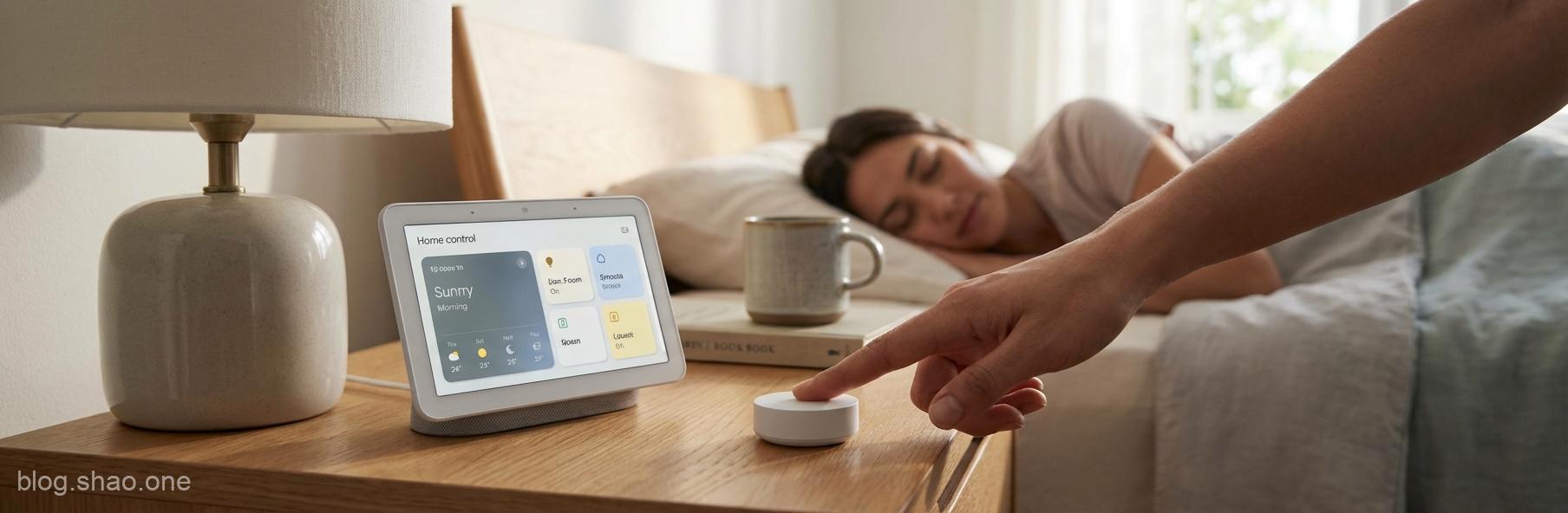
- Bedside \”One-tap Sleep\”: No need to scroll through your phone before bed. Press the bedside button once: lights out, front door locked, AC to silent mode—letting you sleep \”soundly.\”
- Entryway \”Out-the-door Mode\”: When rushing to work, press the button at the door: all appliances power off, robot vacuum starts working—it’s so efficient it’s \”unreal.\”
- Study \”Focus Mode\”: When you want to start working, one press of the button: ambient speakers turn on, lights switch to white light—instantly entering \”combat mode.\”
🧐 Summary: Google is Finally No Longer \”Playing Dead\”
Although this Google Home update arrived a bit late, \”the best is saved for last,\” and the release of this feature truly solves many user pain points. For friends looking to build a complete smart home ecosystem, Google Home is finally no longer just a \”speaker that can only talk,\” but a more comprehensive and humanized butler.This update is rolling out gradually to global users. If you don’t see the option in your Google Home app yet, don’t \”get frustrated\” just yet—give Google a little more time. After all, \”haste makes waste.\” Go check your app updates now, find those smart buttons, and make your home look even \”sharper\”!”