“
Official Website Quietly Changes Face: Apple Mac Ordering Process Gets a Total Overhaul
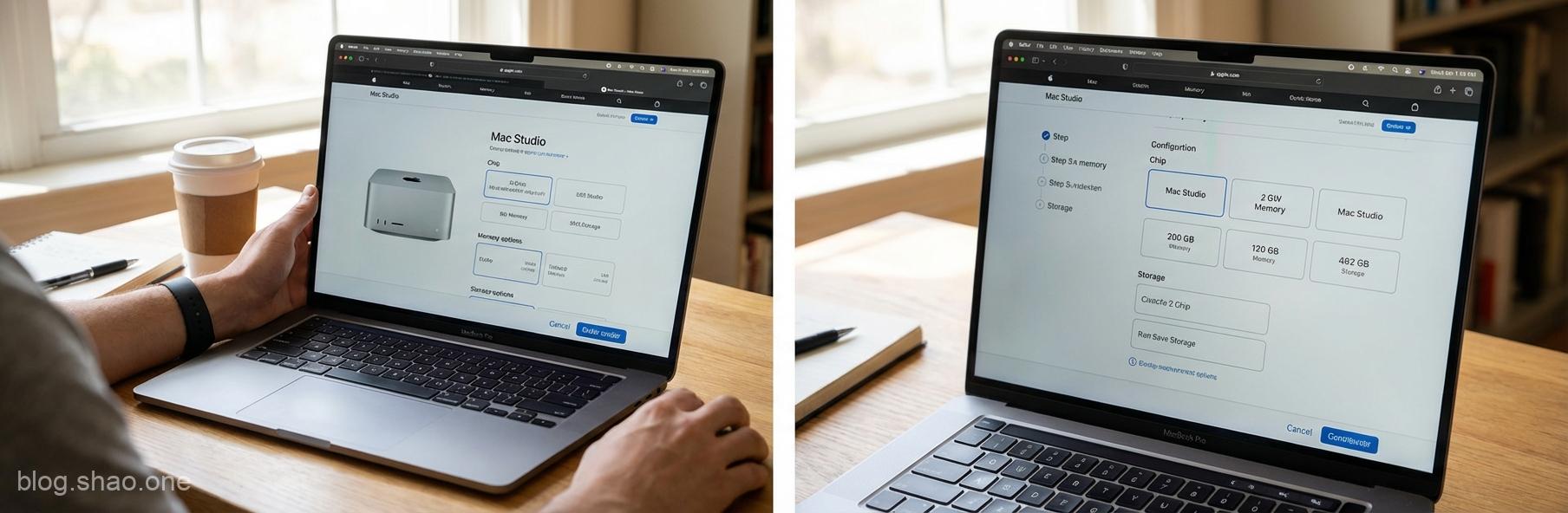
Have you noticed lately that when you happily open the Apple official website, ready to treat yourself to a Mac, the interface feels a bit different? Don’t worry, it’s not a trick of the light or a computer glitch; Apple has truly performed major surgery on its Online Store.According to the latest report from foreign media MacRumors, Apple has quietly updated the ordering process for all its Mac product lines. The scope is incredibly broad, ranging from the student-favorite MacBook Air and the professional-essential MacBook Pro, to the desktop iMac, Mac mini, Mac Studio, and even the top-spec Mac Pro—all are on the list. This change isn’t just a minor tweak, but a complete flip of the logic, making the already clean interface even more intuitive, though it might also make it harder to keep your wallet closed!
What exactly changed? From a Static Lineup to a Seamless Flow
In the past, if you wanted to buy a Mac, the website would usually first present a few standard configuration packages (e.g., entry-level, mid-range, high-end). Only after clicking in could you make detailed customization adjustments. While this method has been used for years, for some friends with choice paralysis, it could sometimes feel overwhelming.Highlights of this update include:
- Seamless Workflow: The ordering process now feels more like a guided experience. Once you select a model, Apple leads you step-by-step from the chip (M3, M3 Pro, M3 Max, etc.), memory, and storage, all the way to pre-installed software. This step-by-step process makes the customization feel more like a ritual.
- Visual Information at a Glance: The price differences and specification variations for each upgrade are now marked more clearly. Apple utilizes a larger amount of visual interface elements to replace the originally dry text lists, giving you the illusion of building a dream masterpiece while adding specs.
- Unified Cross-Device Experience: This redesign brings the web version closer to the Apple Store App experience. Whether you’re lying on the sofa using your phone or sitting at your desk looking at a monitor, that silky-smooth feeling is completely consistent.
Industry Observation: The Devil is in the Details
As a technology observer, I believe Apple’s change is definitely not just for aesthetics. Hidden behind this are deep layers of user psychology and marketing strategy:
- Reducing Anxiety over Conversion Costs: In the past, seeing a whole row of spec tables would inevitably make one wonder, Is this really worth it? Now, through step-by-step guidance, Apple makes upgrading specifications feel less painful. Once you’ve spent time picking a chip, adding a few thousand more for a memory upgrade seems to become a natural progression.
- Promoting Configure-to-Order (CTO) Models: Apple clearly wants everyone to buy more than just off-the-shelf specs. Through the new interface, Configure-to-Order becomes extremely simple. For Apple, selling a high-margin custom machine is definitely more attractive than selling a standard entry-level model.
- Re-upgrading Brand Image: Apple has always prided itself as the intersection of technology and the liberal arts. This interface update once again proves their dominant position in UI/UX (User Interface and Experience), turning the act of buying a computer from a simple data comparison into a boutique shopping experience.
How does this affect the majority of Apple Fans?
To be honest, for the average consumer, this is definitely good news. The new interface reduces the probability of buying the wrong specs and makes it clearer what every cent of your extra money is actually buying. Especially for those not very familiar with hardware, this guided process is like having a dedicated sales representative by your side helping you analyze, significantly increasing user-friendliness.However, I must also offer a warm reminder: The devil is at your fingertips. Under such an extremely smooth and intuitive interface, it’s easy to feel that since I’m already buying this, I might as well add a little more… which can lead to a blown budget. Before clicking Add to Bag, be sure to stay calm and weigh your actual needs against the value for money.
Conclusion: Does technology always stem from temptation?
Apple’s overhaul of the official website ordering process is undoubtedly a success. It not only enhances the aesthetic appeal but also optimizes the shopping logic. In today’s era of the experience economy, Apple once again demonstrates how to achieve a win-win for business goals and user satisfaction through fine-tuning software interfaces.If you’ve been considering a computer upgrade recently, you might want to go to the official website now to experience this fresh process. But remember, check your pockets first—don’t let that beautiful interface brainwash you into forgetting your budget limit!
What are your thoughts on this Apple website redesign? Do you find it more user-friendly, or does it make you want to spend more? Feel free to leave a comment below and share your shopping experiences with us!“