“
Tech Brief: Android's Find My Device Feature Evolves Further—The Devil's in the Details
Have you ever had this experience? Your phone is clearly somewhere in your home or office, yet no matter how hard you search, you just can't find it—leaving you feeling like a "hot potato." To address this collective modern anxiety, Google has been working "full steam ahead" to optimize its lost-item ecosystem.Following last week's quiet launch of the Wear OS version of Find Hub, the Android app now officially supports "Map Layers." While this update may seem subtle, it's a "cherry on top" for enhancing the user experience.
What exactly has changed in this update?
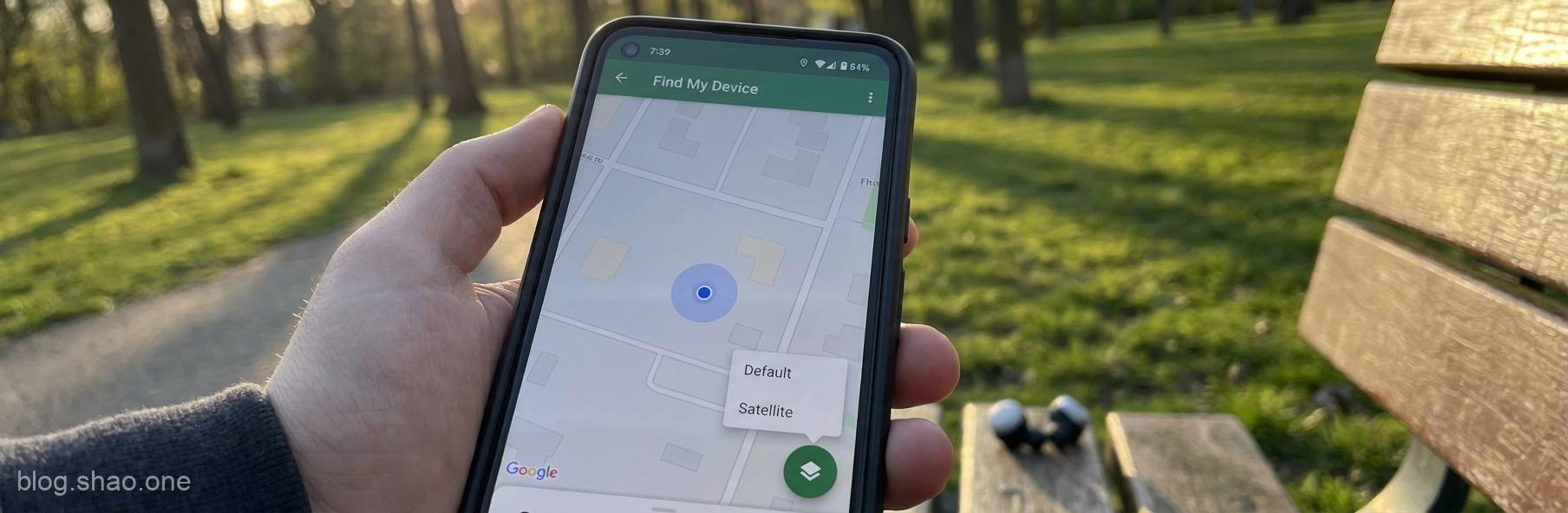
According to the latest report from 9to5Google, Google is rolling out this quality-of-life improvement for the Find Hub on Android. The core of this update introduces a small floating action button (FAB), allowing users to freely switch between different map modes. Here's a summary of the key updates:
- New Map Layer Switching: Users can now quickly toggle between "Default Map" and "Satellite Map" in the Find Hub main interface via the floating button in the bottom-right corner.
- Intuitive UI Design: This change makes the interface cleaner and more powerful, allowing users to access the most suitable view for their current context without delving into menus.
- Enhance Positioning Precision: Through satellite imagery, users can clearly see the actual buildings, street outlines, or park facilities at the device's location, making the search process "instantly clear."
Expert Perspective: Why This Minor Update Matters
In the tech world, we often say "a slight difference leads to a huge gap." For a location-finding app, precision and intuitiveness are its lifeblood. Here are my thoughts on this update:
- Enhanced environmental adaptability:
- Head-to-Head with Apple's "Find My" Network:
- Deep Integration Between Wearables and Smartphones:
If your headphones fall on a large grassy area in the park, a standard map might only show a solid green expanse. This is where satellite imagery truly shines, helping you pinpoint the location based on landmarks like trees or benches. This proves invaluable for solving the "last-meter" challenge of finding misplaced items.
Google's Find My Device network has been making waves recently, revealing its ambition to rival Apple. By continuously refining the granular features of Find Hub, Google is striving to narrow the experience gap between the two platforms, aiming to level the playing field in the ecosystem competition.
This Android update follows closely on the heels of the Wear OS version, signaling Google's commitment to achieving "cross-platform consistency." Whether you're interacting with your watch or your phone, the experience remains seamless—this "seamless integration" is an indispensable aspect of modern technology.
The Last Mile of Android's Lost Item Network
While the map layer updates to Find Hub have enhanced its functionality, what truly transformed Android's lost-item feature was Google's earlier launch of the offline network for "Find My Device." By leveraging billions of Android devices, users now have a chance to recover lost items via others' Bluetooth signals—even when their phone is dead or offline.The addition of map layers is like fitting this powerful engine with a navigation system. For those who tend to misplace things, this is undoubtedly a godsend. Finding your phone used to be like searching for a needle in a haystack, but with satellite maps now assisting you, the difficulty level is simply incomparable.
Conclusion: The Google Ecosystem, Striving for Excellence
In summary, Google's latest update for Find Hub demonstrates its commitment to continuous improvement. While the map overlay isn't revolutionary technology, it effectively addresses a common pain point in everyday use. In this era of information overload and fast-paced lifestyles, saving users even a fraction of the time spent searching for misplaced items represents the most meaningful technological progress.This feature is currently being rolled out to Android users. If you haven't seen the floating button yet, just hang tight for a few more days. We recommend setting up your Find My device settings in advance to avoid regretting it later when you actually lose your device.
For more tech updates, stay tuned to our in-depth coverage!“